Are you tired of dealing with dead proxies, sluggish scraping scripts, and messy text files? Take full control of your connection infrastructure with ProxyManager, the lightweight, blazing-fast desktop powerhouse designed for professional data extraction, SEO automation, and web scraping workflows.
Built from the ground up for speed and stability, ProxyManager handles thousands of proxies effortlessly and exposes them directly to your automation scripts via an integrated, local API.
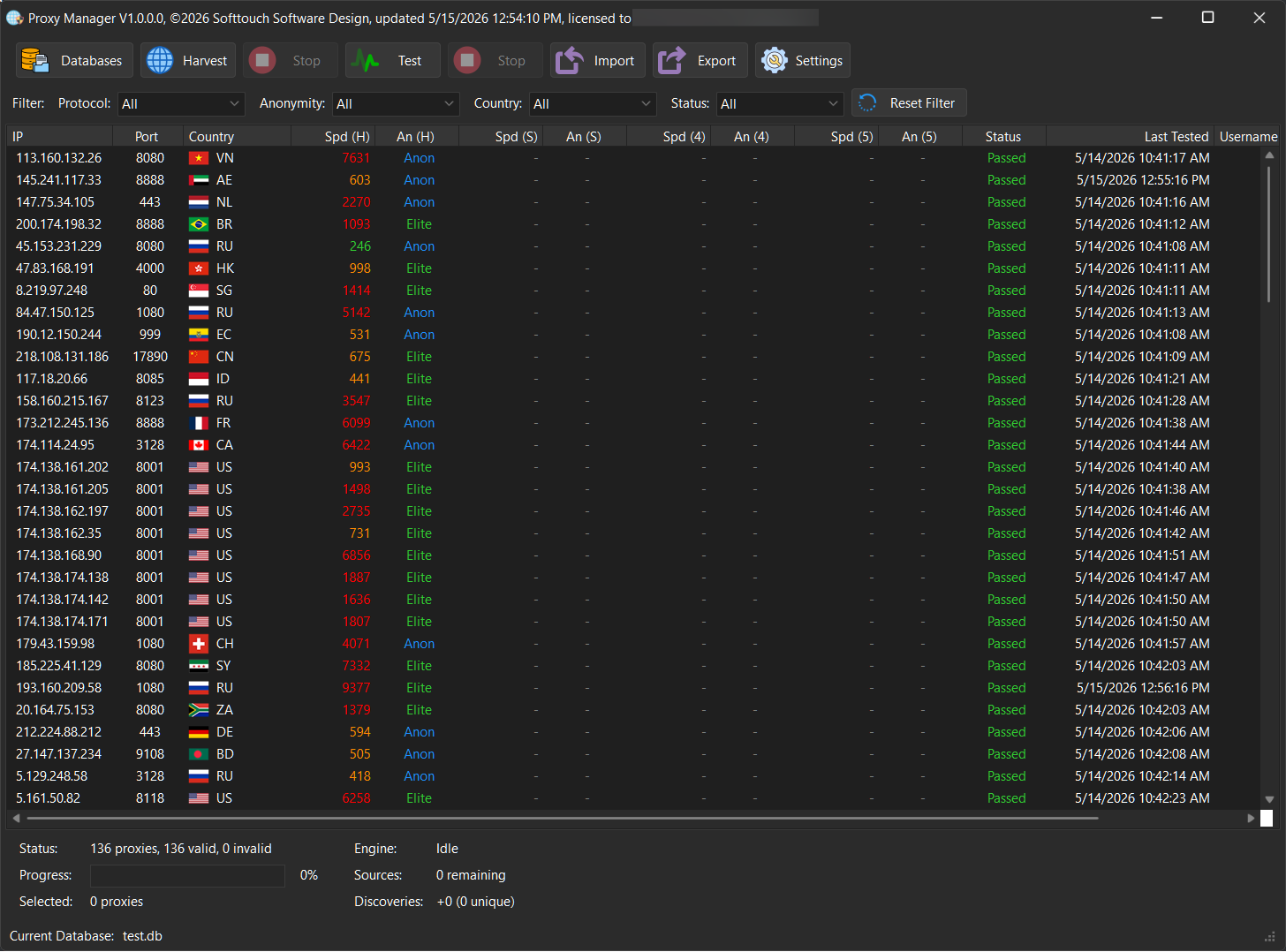
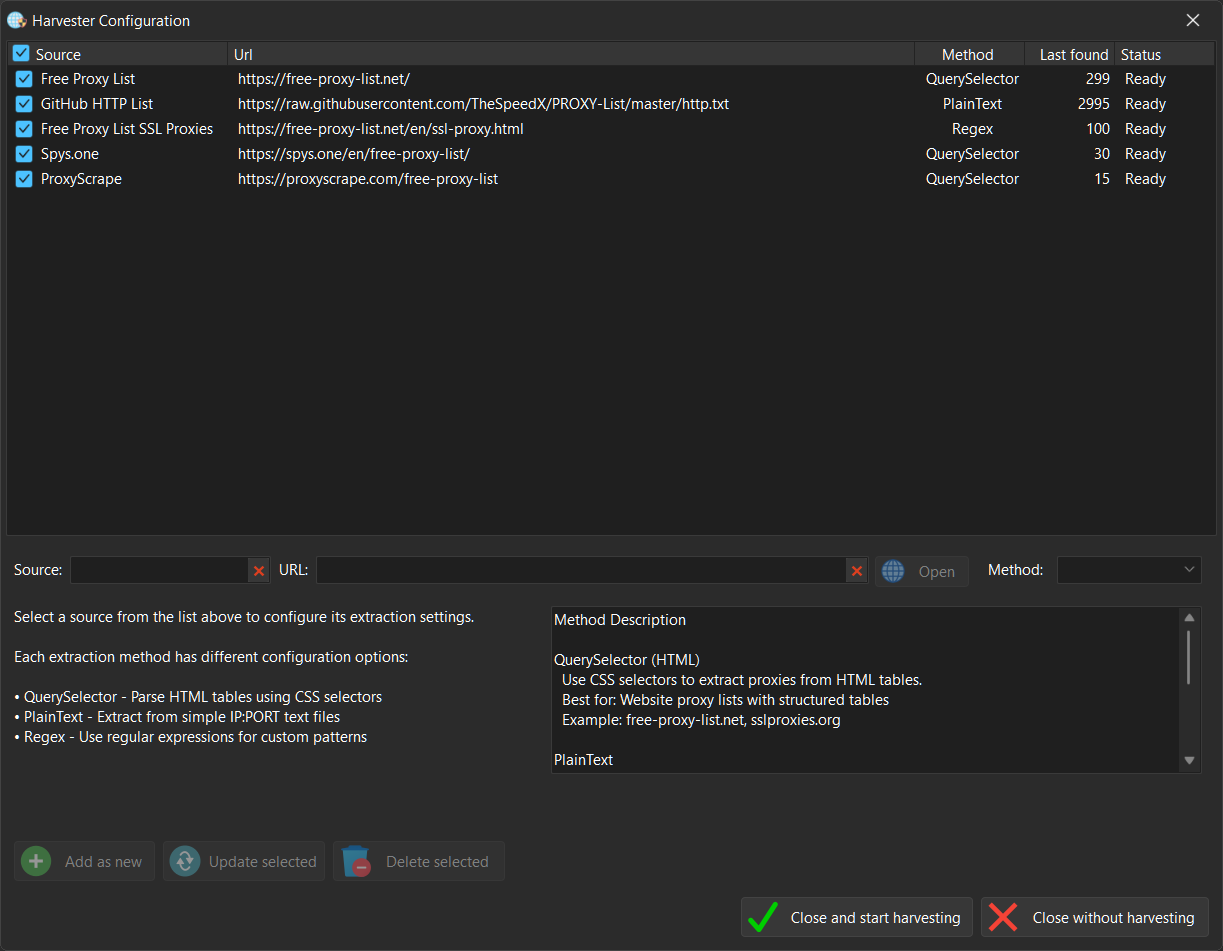
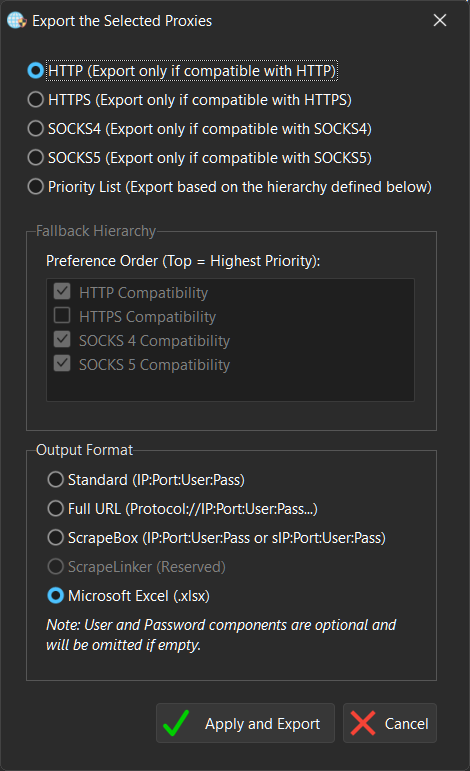
Key Features & Capabilities
🗄️ Advanced Workspace & Multiple Databases
Don’t bunch all your connections into a single unorganized pile. Group your assets by project, speed, or target destination.
- Isolated Project Databases: Create, load, and manage multiple completely independent proxy databases within the software.
- Intuitive Drag & Drop Workflow: Seamlessly organize your deployment. Move single proxies or massive batches between different databases instantly using smooth, native drag-and-drop actions.
📋 Flexible Export Engine (Ready for ScrapeBox & ScrapeLinker)
Need to take your proxies on the go? ProxyManager allows you to extract your sorted lists in a matter of clicks.
- Universal Format Support: Cleanly export your filtered proxy lists into various layouts depending on your destination software.
- Plug-and-Play SEO Tool Compatibility: Generate lists perfectly formatted for immediate import into industry-standard power tools like ScrapeBox or seamlessly sync them with ScrapeLinker automation loops. No manual search-and-replace required.
🚀 High-Performance Multi-Threaded Architecture
Stop letting your user interface lock up when handling heavy background network tasks. ProxyManager is built from the ground up for stability and speed.
- Asynchronous API Delivery: Serve incoming proxy requests on dedicated background threads via an integrated Indy HTTP engine, keeping your user interface completely fluid.
- Instant In-Memory Performance: Read and serve datasets seamlessly, ensuring external automation scripts get data in milliseconds without lag.
🌐 Built-In Local REST API Engine
Integrate ProxyManager seamlessly into your existing tools (like Python scripts, SeleniumBase, Undetected-Chromedriver, or custom bots) without modifying local files.
- Instant Endpoint Access: Simply call a local URL (
http://localhost:8080/getproxies) to instantly fetch your live list. - Flexible Format Output: Get results in structured JSON arrays for complex software or Plain Text (
IP:Port) for simple automation scripts. - Advanced Query Filtering: Query exactly what you need straight from the URL string (e.g., fetch only secure, elite SOCKS5 proxies instantly).
🔍 Granular Proxy Categorization
Know exactly what type of traffic you are routing. ProxyManager reads and displays proxies sorted by:
- Protocol Support: Full support for HTTP, HTTPS, SOCKS4, and SOCKS5.
- Anonymity Level Tracking: Separates nodes into Transparent (reveals your IP), Anonymous (masks your IP), and Elite / High-Anonymity (hides your IP and masks proxy usage entirely).
🖥️ Lightweight UI & Seamless UX
A power tool shouldn’t bog down your machine. ProxyManager features an ultra-optimized user interface designed for massive datasets.
Single-Instance Security: Native operating system locking ensures only one instance of the manager runs at a time, preventing socket conflicts or accidental double-launches.
Advanced Virtual Tree Grid: View tens of thousands of proxies across your databases seamlessly with zero interface lag or memory bloating.
Extract: Right-click the .zip and select “Extract All”.
Bypass Windows SmartScreen: Double-click the .exe. When the blue screen appears, click “More info” at the top, then click “Run anyway” at the bottom.
Antivirus (AV) Warnings: Because Softtouch software is specialized and newly released, some antivirus programs may flag it as “Unknown” or “Suspicious.”
The Fix: If your AV blocks the file, go to your AV settings and select “Allow” or “Add to Exclusions.” > * Verification: Every file is 100% clean. You can verify this by uploading the file to VirusTotal.com before running it.
Register: Enter your Name, Email, and Transaction ID in the startup window to begin the 1-12h manual activation.
Need help? Contact Support
🛠️ How Activation Works
All Softtouch software follows a secure manual activation process.
- Initial Setup: When you launch a program for the first time, an activation window will appear.
- Submit Details: Enter your Name, Email, and Transaction ID (found in your purchase confirmation email).
- Manual Verification: Your details are sent to our team for verification.
- Confirmation: Once activated, you will receive an email from us. You can then restart the software and begin your work.
⏳ Please Note: Activation is handled manually and typically takes 1 to 12 hours depending on the timezone.
I acknowledge that I lose my right of withdrawal once the download begins.